
DiRT 5 - Notifications & Popups (2020)
Verified Creator & Year One Edition


Wild Spirits DLC


DiRT 5 - Notifications & Popups (2020)
Role: UI Artist
Time frame: 1+ years on the project
Objective: Refresh the styling of notifications and popups throughout the game, to bring consistency between them and more size options for different types/meanings.
Software used: Adobe Illustrator, Photoshop & XD (Concepts/Creation) | In-house UI Editor & Engine (Implementation)
Platforms: PlayStation 4 · Xbox One · PlayStation 5 · Xbox Series X and Series S · Google Stadia · PC
Project Status: Shipped
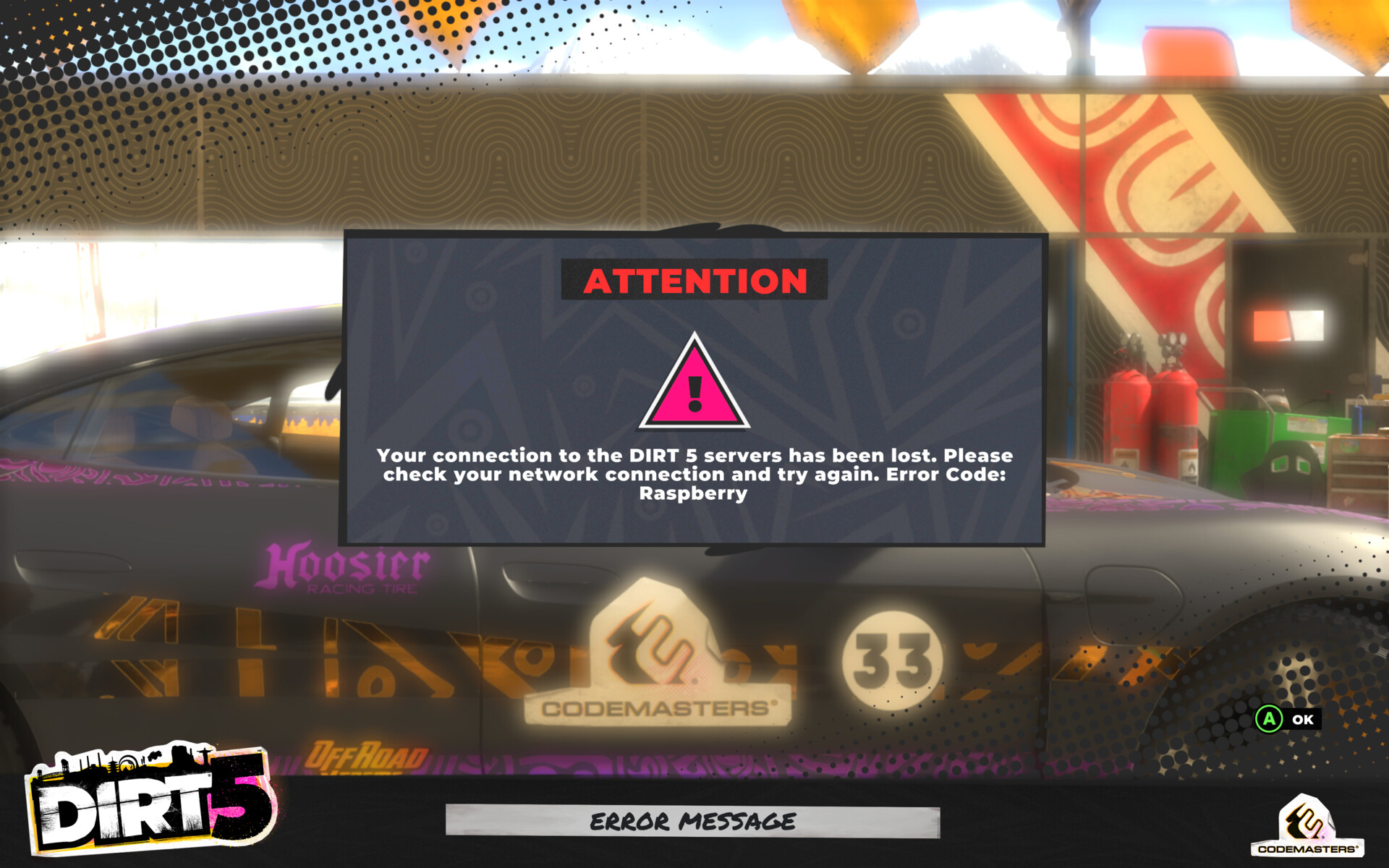
During the DLC development of DiRT5 I was tasked with implementing some popup notifications that could be used to promote new content on the games frontend. This would be something that the player sees once they have passed the 'press start' screen and hit the main menu. At that point in the game's life, we only had a single type of popup throughout the entire game, no matter the content. It wasn't very visually appealing and something that was added without too much real thought. As even if there was just a single line of text on show it would still display a massive box of empty space. You can see this styling on some old screenshots from the game. The only time this looked correct in my eyes was with the error message dialogue, so naturally, there isn't much change with that specific type when comparing then and now.
I saw something that could be improved and used my initiative & time wisely to reorient this task to implement the new marketing image-based notification along with a better way of showing the many different types of popups & notifications. Making them more visually distinct from each other and having the size change based on the importance or the content being displayed.
First up was the marketing imagery notifications. The requirement for this was a single large image with header and body text for greater detail. The way I implemented this and its styling allowed for the text + its backing elements to be turned off completely by hiding a single item. Giving the option to just show an image solely for this style of notification. Therefore making it slightly more versatile and future-proof if needed. As this was to be used to bring attention to new additions to the game I wanted to make these feel the most special out of the notifications. That is why I also added the animated broken shards bursting out from behind the imagery when it smashes onto the screen, giving the item more visual impact. Again, using this to draw the user's eye and attention.
Once this was done I drew my attention to the existing grey box popups. I added the new border styling I created for the marketing images to this version as well, bringing a bit of consistency between the two types. Adding a subtle dots pattern vignette to the top left and bottom right of the screen also helped bring the user's gaze to the centre of the screen while adding a bit more visual styling to what was quite a dull screen. Adding scalable backing to the header text gave it better prominence on screen and meant that now it had solid backing I could colour this text red on warnings. Making the notifications background texture pattern fill the full space on offer was a subtle change but made a good deal of difference, as now the old solid grey box always had a bit of visual interest. Finally making the body text larger helped improve readability. Before, it was quite small making it hard to read on some screens.
The autosave message & report a player explanation notifications took all this new styling on board but now used a smaller background to better fit that content. This brought differentiation between the two variants making its visual impact on the screen slightly less. This was a good change as it is arguably not as important. It also makes the error notification the only version that would be shown at the larger size and with that styling. Meaning if the user was to briefly see it on screen before pressing 'okay', as their brain was on autopilot or just wanting to jump into the game as quickly as possible, they could easily associate it with an error and nothing else.
With these changes in place, I could now focus on some of the smaller popups that appear in a couple of areas in the game. The styling for these is quite consistent between them. The first is shown only on Xbox when the player signs into the game with their selected profile, and go's to the game's main menu for the first time. It simply just shows the username of the profile they just signed in with, acting as a confirmation that the game is using that account's save data. The other is for tutorials within the career tree. With the first-time user flow, a series of popups happen one after the other, guiding the player through some information on how the career progression works.