
DiRT 5 - Vehicle Select (2020)
Quick Garage Walkthrough

Vehicle Select
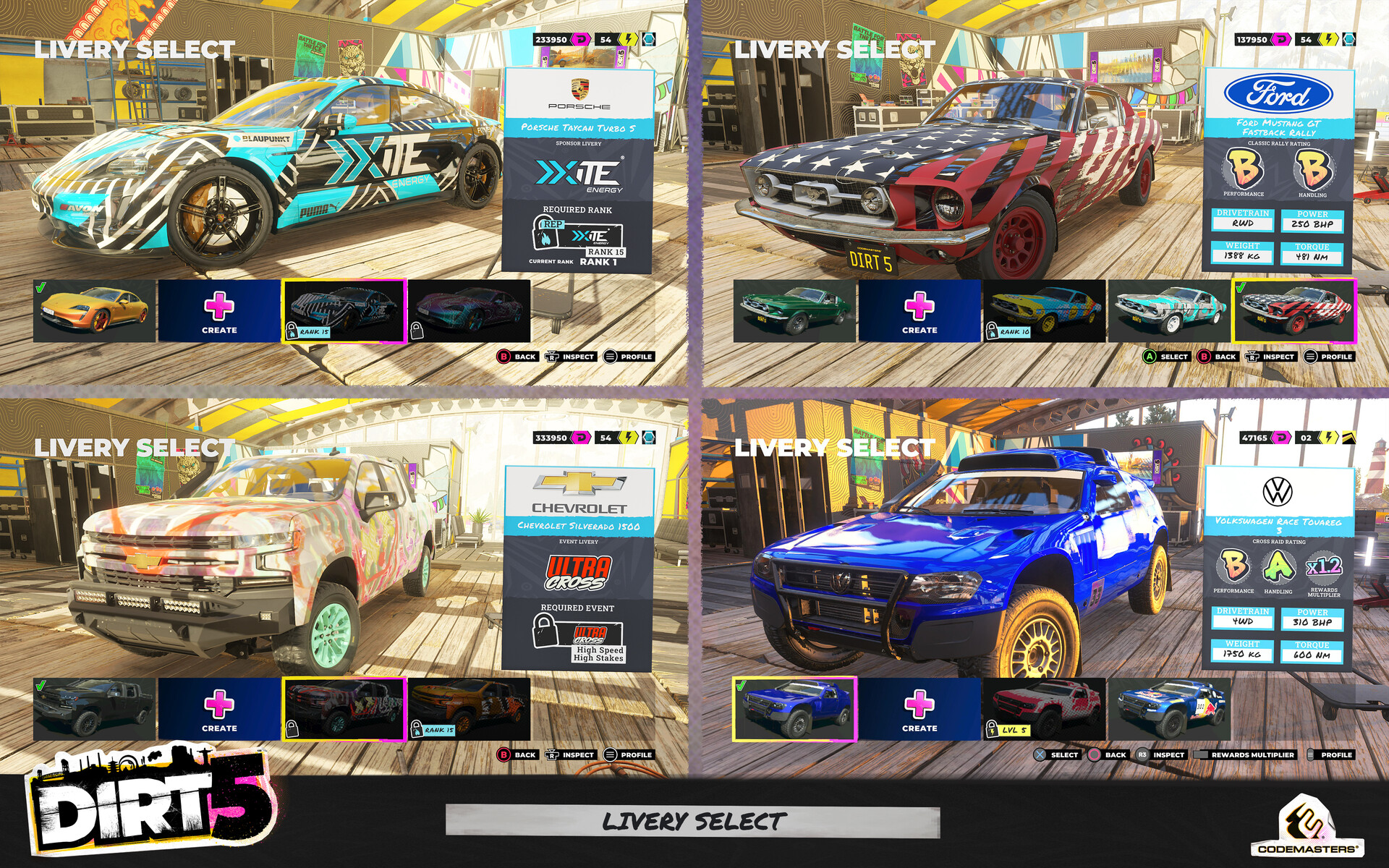
Livery Select


DiRT 5 - Vehicle Select (2020)
Role: UI Artist
Timeframe: 1+ years on the project
Software used: Adobe Illustrator, Photoshop & Adobe XD (Concepts/Creation) | In-house UI Editor & Engine (Implementation)
Platforms: PlayStation 4 · Xbox One · PlayStation 5 · Xbox Series X/S · Google Stadia · PC
Project Status: Shipped + DLC Content
*** Update ***
A rewards multiplier was added to vehicles within the garage as part of the Wild Spirits content pack. This is seen in modes like online. The player can choose to use a lower ranking vehicle within the selected class to potentially earn better rewards if they win. This can be seen in some of the screenshots here making more use of the space that the performance and handling stickers occupy.
***
The garage is a space where the player can see every vehicle within the game available to them, ones they have unlocked and ones still locked. From here the cars can be unlocked through in-game currency or purchasing access to them through DLC packs on the platform's store. After selecting a vehicle from one of the various classes they can choose either the default livery, create a custom one or unlock a more specialised livery by fulfilling the unlock criteria (be it player level, event completion or sponsor rank). Upon selecting a vehicle and livery the screen either progresses to gameplay (single player modes) or the carousel is removed to symbolise their selection is locked in (online).
Both the vehicle and livery select use the same carousel system to select a preferred vehicle & styling. As this is a long carousel and only going to get longer with DLC the player can tab through the different classes of vehicles using the shoulder buttons on consoles. This interaction can be seen with the class stickers on the top left of the carousel. The standard information about the vehicle is located on the leaflet/poster on the right-hand side of the screen. The key and more useful information about the vehicle has more prominence at the top of the leaflet. The logo, name and performance/handling stickers are most dominant to help to scan this info easier. The manufacturer logo for each vehicle is also backed in a white space to help conform to the various companies' logo guidelines.
I also implemented what I liked to call a 'global purchasing' system with this screen and others found throughout the game, where unlockable content always uses the same styling to represent this state along with the colour of the required unlock. This colour reflects the icons seen in various rewards flows in the game. Pink for player currency, yellow for player level, blue for sponsor rep and white with a shopping bag icon for unlocks through platform stores. This leaves a blank padlock icon for unlocks that require a certain event to be completed to unlock an item. To help reinforce and quickly show the player if an item is not available to unlock now/ still requires further work the tile is darkened. For example, when the player doesn't have enough currency or isn't at a high enough level.