
DiRT 5 - Arcade (2020)
Arcade & Multiclass Setup

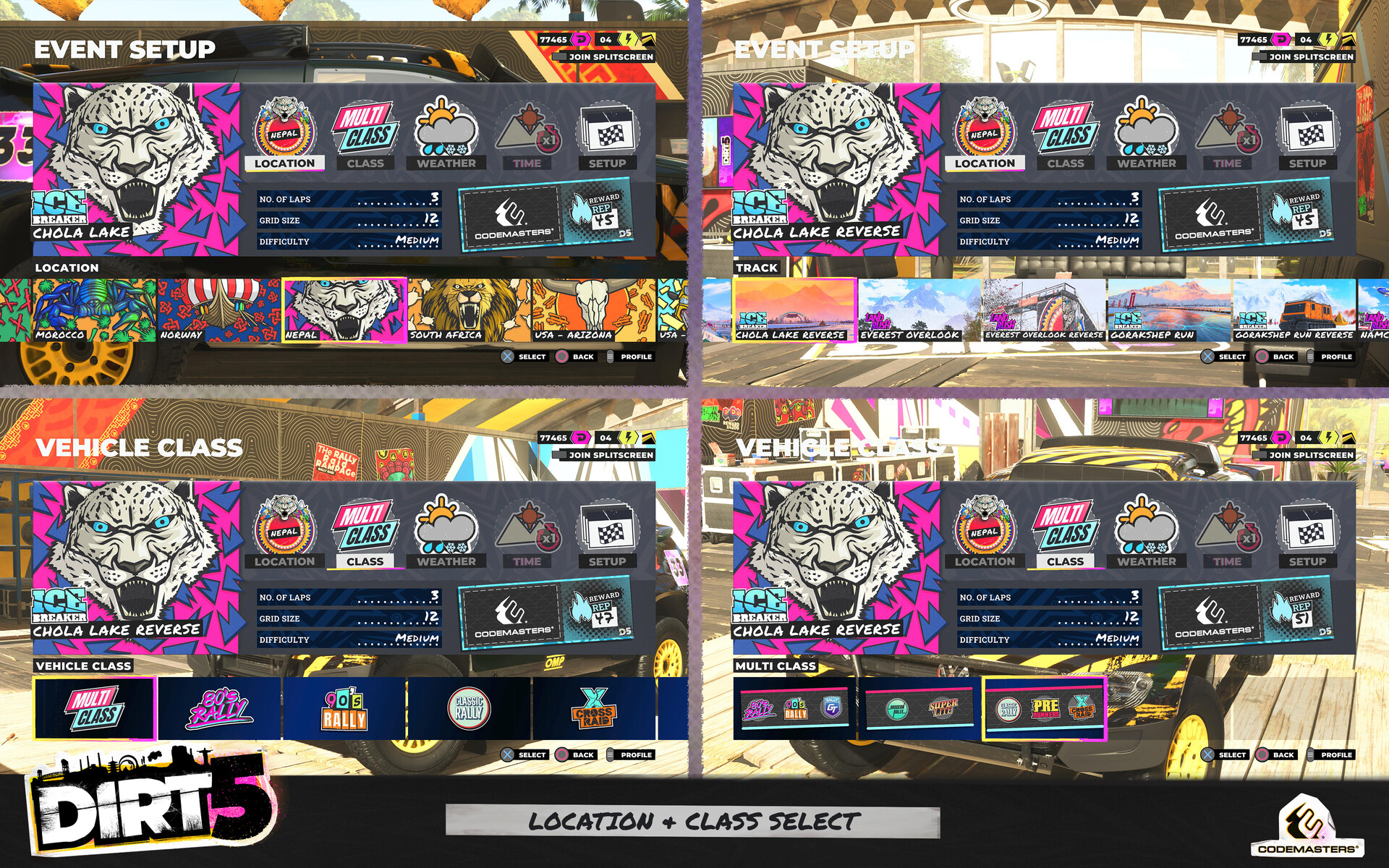

Time Trial Event Setup


DiRT 5 - Arcade (2020)
Role: UI Artist
Timeframe: 1+ years on the project
Software used: Adobe Illustrator, Photoshop & Adobe XD (Concepts/Creation) | In-house UI Editor & Engine (Implementation)
Platforms: PlayStation 4 · Xbox One · PlayStation 5 · Xbox Series X/S · Google Stadia · PC
Project Status: Shipped + DLC Content
*** Update ***
Multi-class racing was added to arcade mode as part of the Energy content pack. This involved creating a new class icon to represent this as well as a way to show the player which combinations of classes could be raced. I decided to use the styling of tickets that we use across the game to house the necessary logos within each tile.
The screen was also updated again when global sponsors were introduced in the Wild Spirits content pack to include a ticket displaying your current sponsor along with the amount of XP you would get for completing the chosen race setup. The difference between what the screen looked like before and after can be seen by comparing the general arcade setup screen to the time trial arcade setup screen.
***
Arcade allows the player to create any type of race they want on any track within the game. It gives options to the player allowing them to customise the race to their liking. For example, racing rally cross cars around a frozen lake at night while it's snowing. Time trail takes this further by implementing a leaderboard allowing players to compete for the best time on their chosen setup of event.
Both type of arcade event setup screens take the idea of having an event leaflet/poster for the UI. Then having the player fill out the different slots using stickers (a styling found throught the game) for the main categories, overlaid elements and hand-written text for additional info. In order to edit each category the player navigates left or right to select one of the categories and then proceeds through the selection flow using a carousel to choose one of the available options. Once finished the player can select the larger button by navigating to the far left or simply pressing down to start their event.