
EA SPORTS F1® 22 - Driver Career & My Team Setup (2022)
My Team Setup Walkthrough



Driver Career Setup Walkthrough


EA SPORTS F1® 22 - Driver Career & My Team Setup (2022)
Role: UI Artist
Timeframe: 1 year
Software used: Adobe Illustrator & Photoshop (Concepts) , 3DS Max & In-House Editor/Tools (Implementation)
Platforms: PlayStation 4 · Xbox One · PlayStation 5 · Xbox Series X/S · PC (Steam, Origin/EA Desktop)
Project Status: Shipped
First up, your new career along with the associated options is determined by which tile is selected on the first screen. Along with these tiles, the player is given a breadcrumb/checklist demonstrating the steps they will go through and any extra information needed basing off of their choice of mode. As you can see from the images this is in a persistent element on the right of the screen to help guide the player.
My Team lets you live the dream of managing and driving for your own Formula 1 team. As the 11th team on the grid, the player will be making critical decisions and upgrades; while plotting their own path by creating a driver, choosing a teammate & team name, along with the badge and livery for their team. In the top right of this screen, there is a toggle for Pro Mode. This will override various settings that would have been available to the player and lock them to a more challenging configuration designed for the more experienced players.
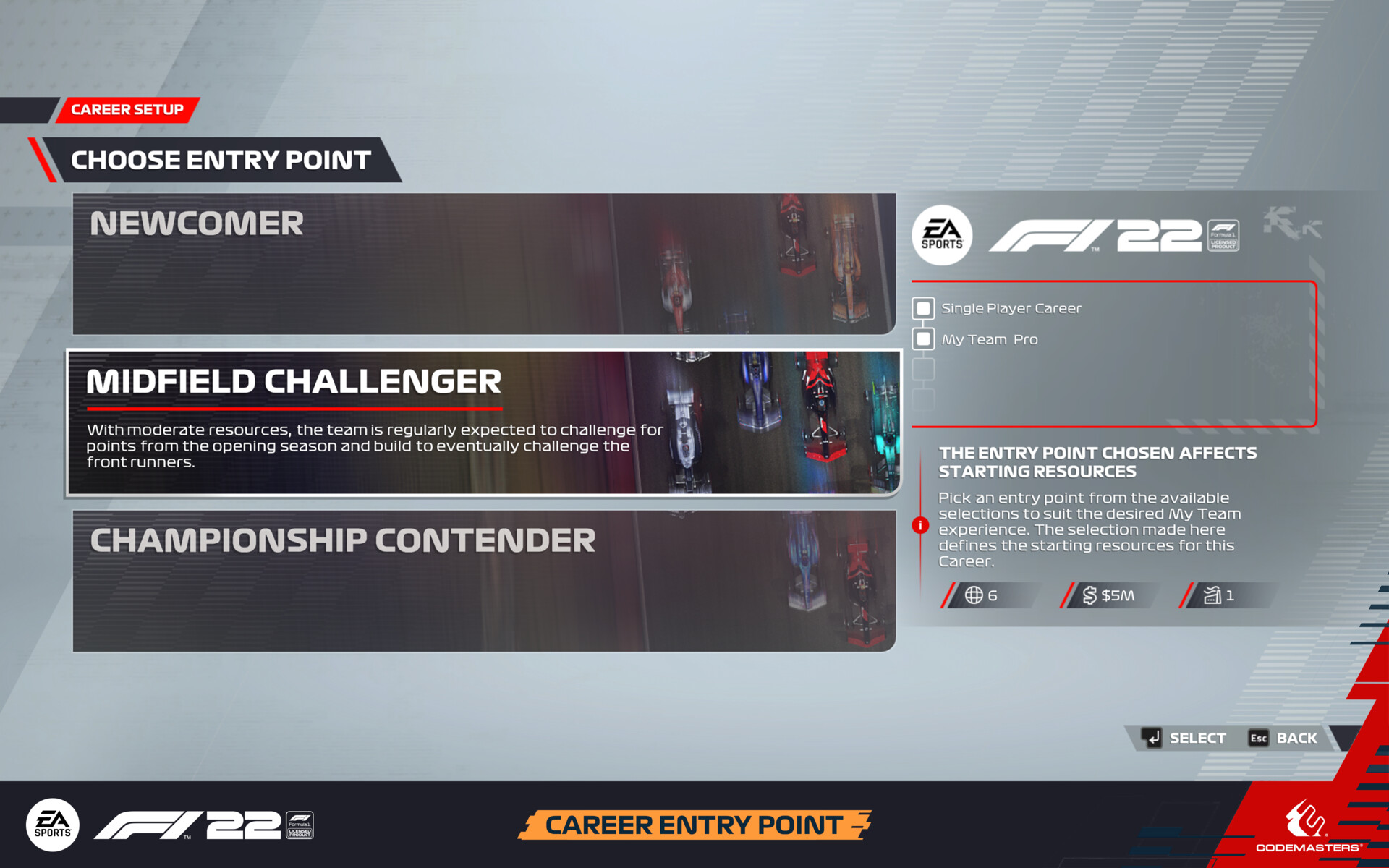
After selecting the My Team mode there is a new screen to greet the player. This year, F1 22 players are given the choice to pick their team’s level, starting budget & facility levels. With three entry points available; Newcomer, Challenger and Front Runner. Hovering over each one of these tiles changes the information shown on the right to demonstrate how that choice impacts their starting point. I really like how the image spanning over these tiles helps reflect where players might be expecting to find themselves within the pack based on each option.
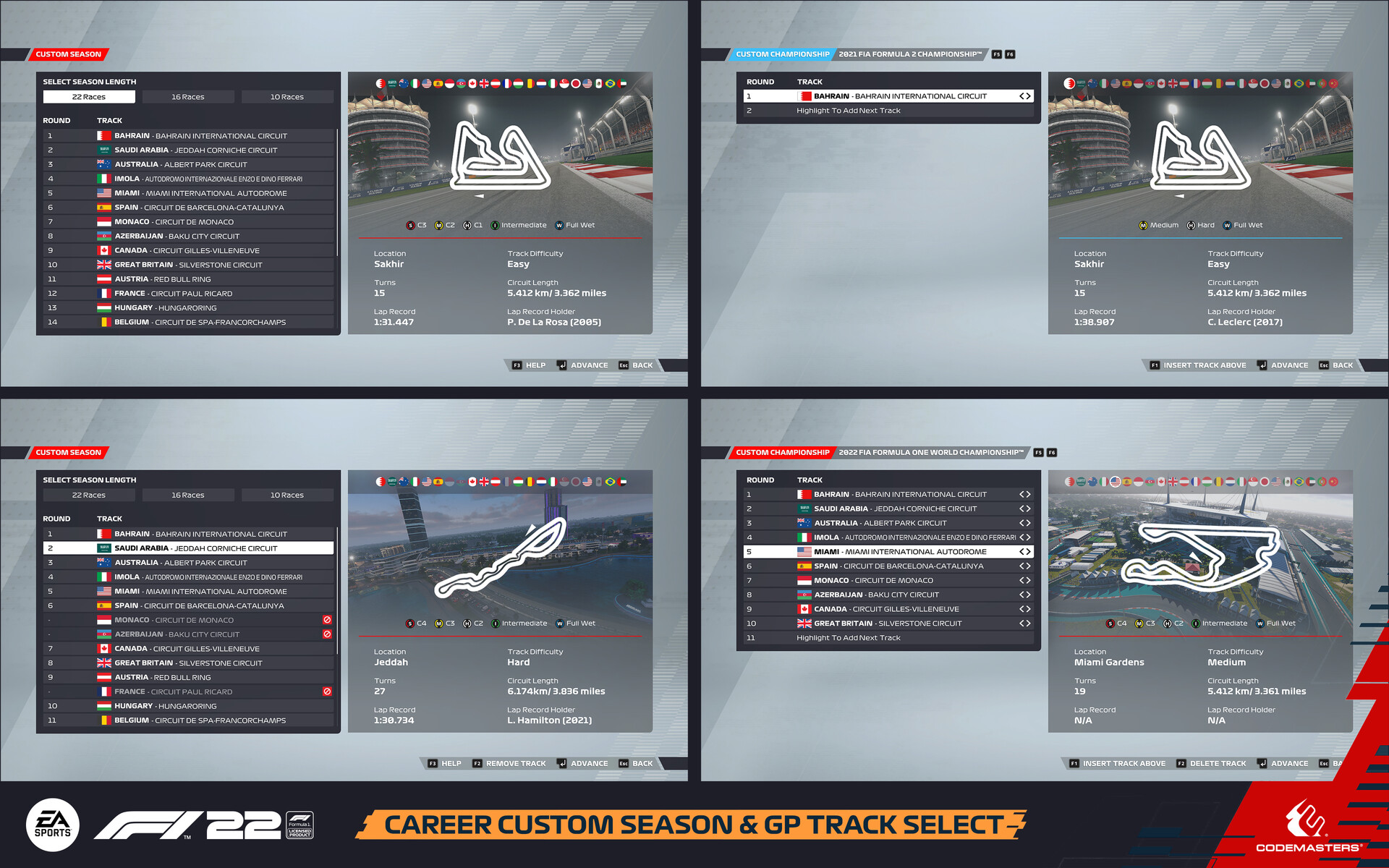
The next 2 screens allow the player to customise their career mode to their liking, and as in-depth as they want. The left tile here represents the default option and one that will be best for most players jumping into the game. The right tile takes the player to an extra screen which gives them the option to customise either the season or settings to their preference. The styling for these extra screens was also brought to other areas of the game. Bringing a consistent feel & layout to similar interactions. The example I have included here is from the Grand Prix mode where the player gets to build up the roster of tracks on which they want to race on.
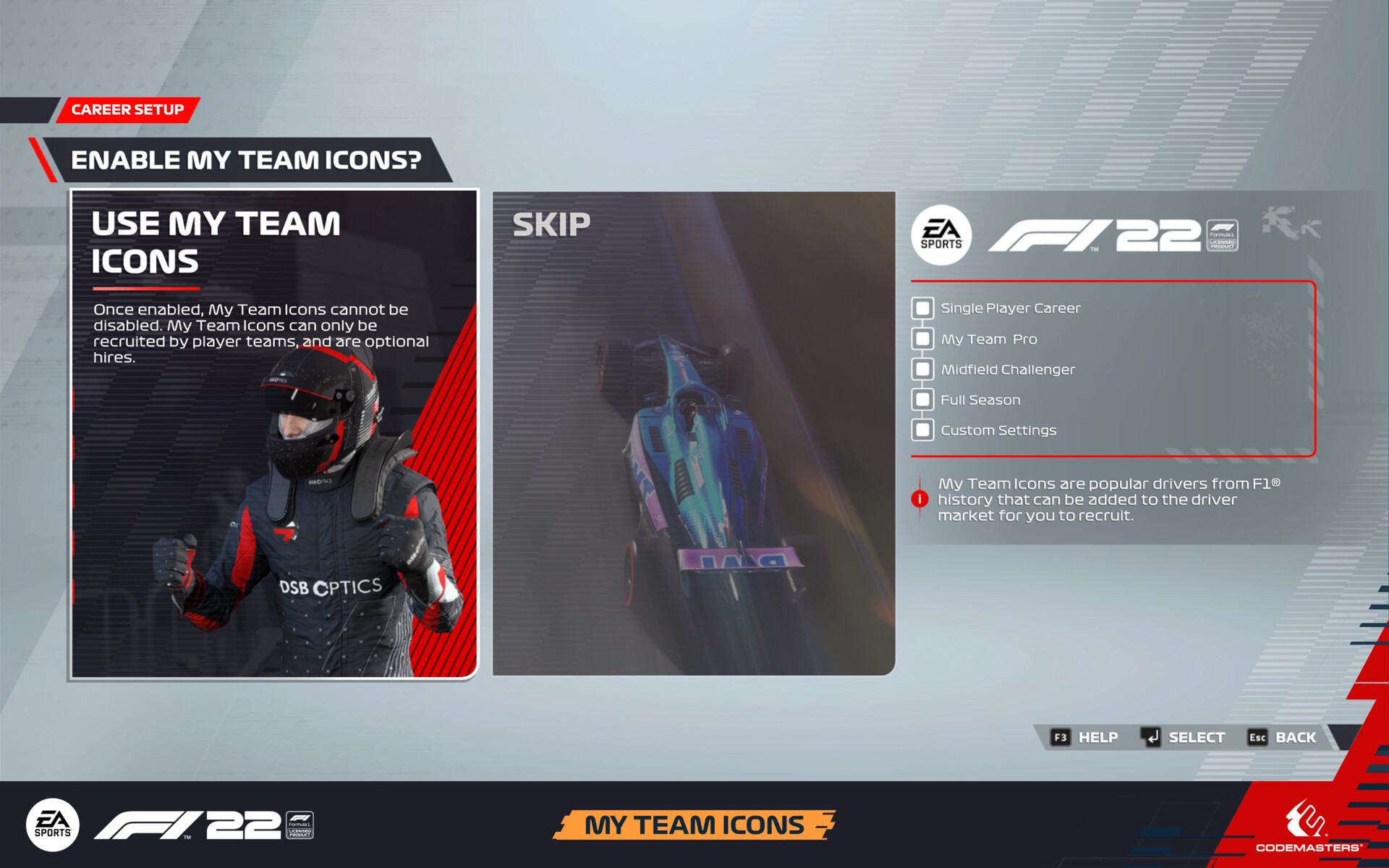
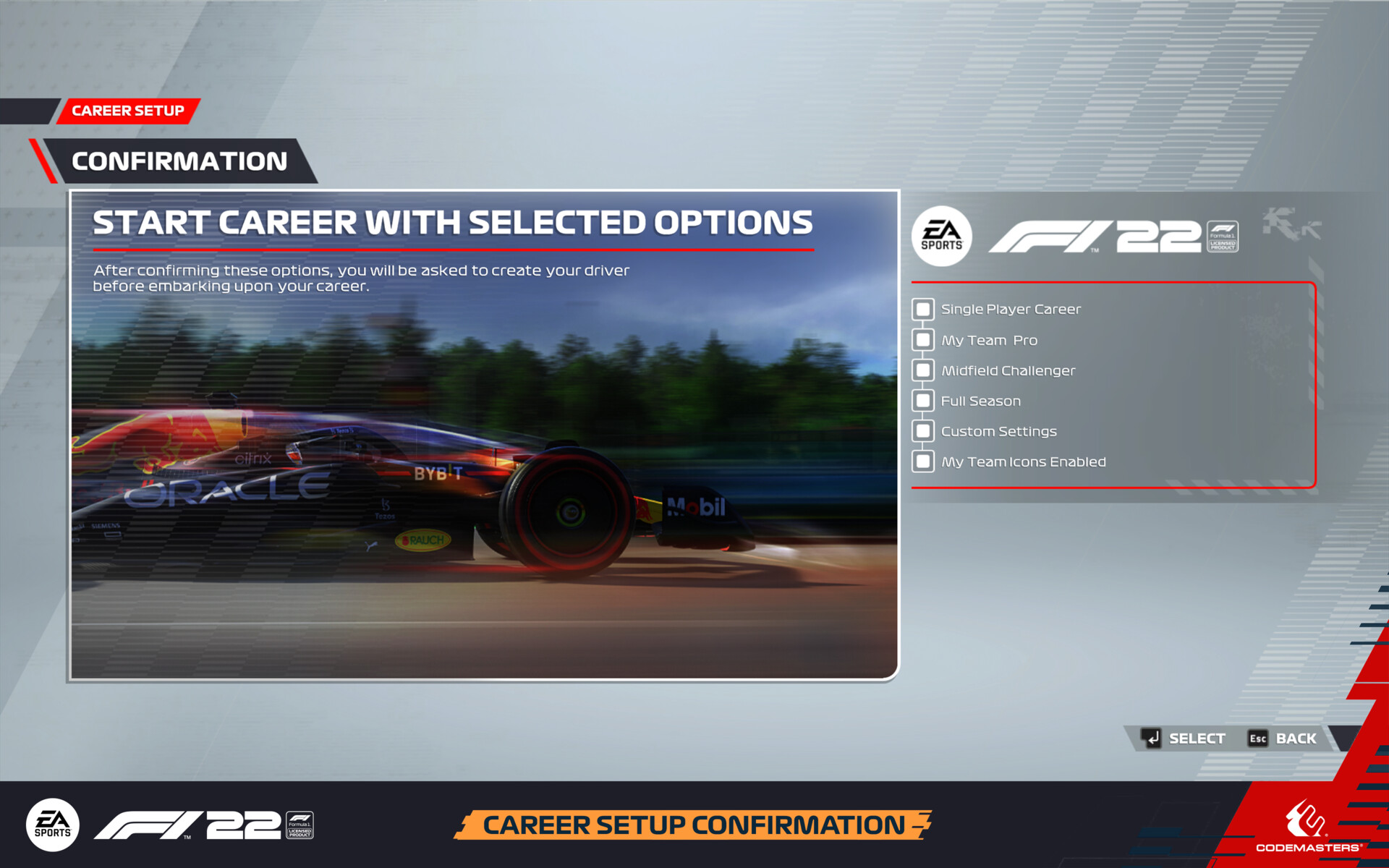
After these selections, the player can choose if they want My Team icons to be available to sign as a teammate and race alongside. There is also the option to skip which will remove the option for these hires entirely. As the name suggests these are racing legends from the sport's past. A full list of these icons is below for the people interested. The last screen in this flow is the confirmation screen. Here it gives the player one last chance to look over all the options they have selected. Either going back to make any changes or lock in their choices and progress onto the next steps of creating their new Formula 1 team.
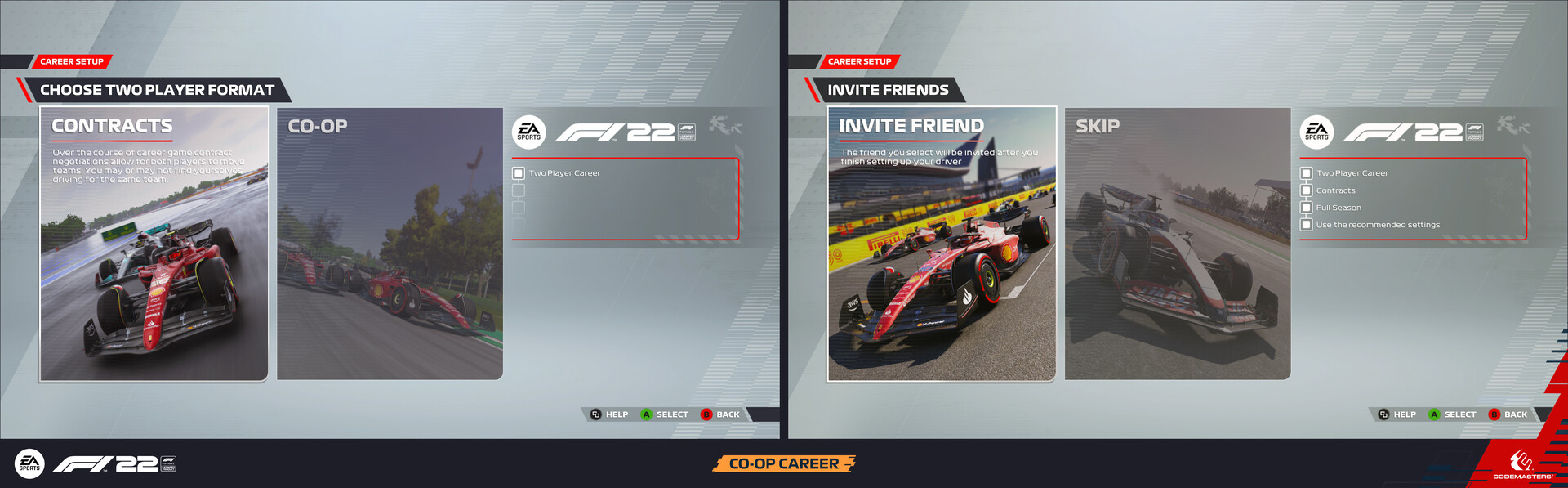
Both career modes can be enjoyed in both single-player and co-op with a friend. The latter gives the player extra options to choose from, either racing together for a team or competing against each other for wins and contract offers.
Driver Career allows the player to skip the team management and experience every F1 fan’s ultimate fantasy of being a Formula 1 driver. Racing for one of the official teams in the FIA FORMULA ONE WORLD CHAMPIONSHIP™, alongside & against their associated drivers. Using the same layout as the previous screens the choice is given as to whether you want to start your career with a season in Formula 2 or skip straight to F1. If the player chooses F2 here it alters the following screens to follow the existing branding of F2 throughout the game. Using the brand's light blue colour instead of red on the UI. This change can quickly symbolise to the player what mode they are in when looking at a screen within the game. Choosing to skip to F1 continue's on with the existing colour scheme, progressing the flow to give the player further customisation of the starting point for their career. Either at the beginning of the season or at a specific point from the real-world season.
Many of the images found within the tiles for these screens were captured by other members of the team along with myself. As mentioned before some of the styling/elements found on these screens were also added to other areas of the game. As a little bonus, I thought I would include how the breadcrumb component from the career setup is also used with the first boot flow.
My Team Icons Available:
Michael Schumacher
Ayrton Senna
Alain Prost
Jenson Button
David Coulthard
Felipe Massa
Jacques Villeneuve
Mark Webber
Nico Hulkenberg